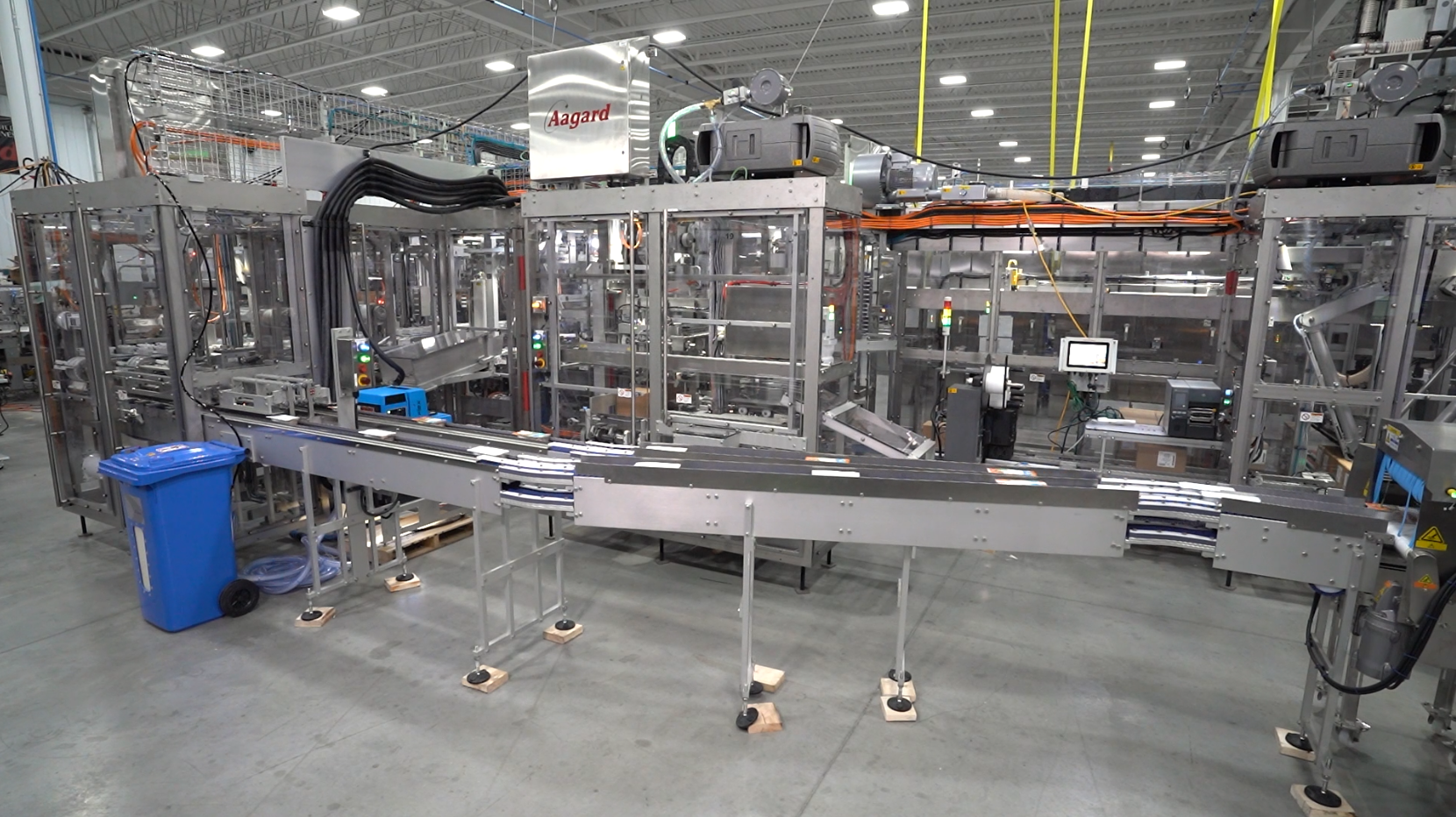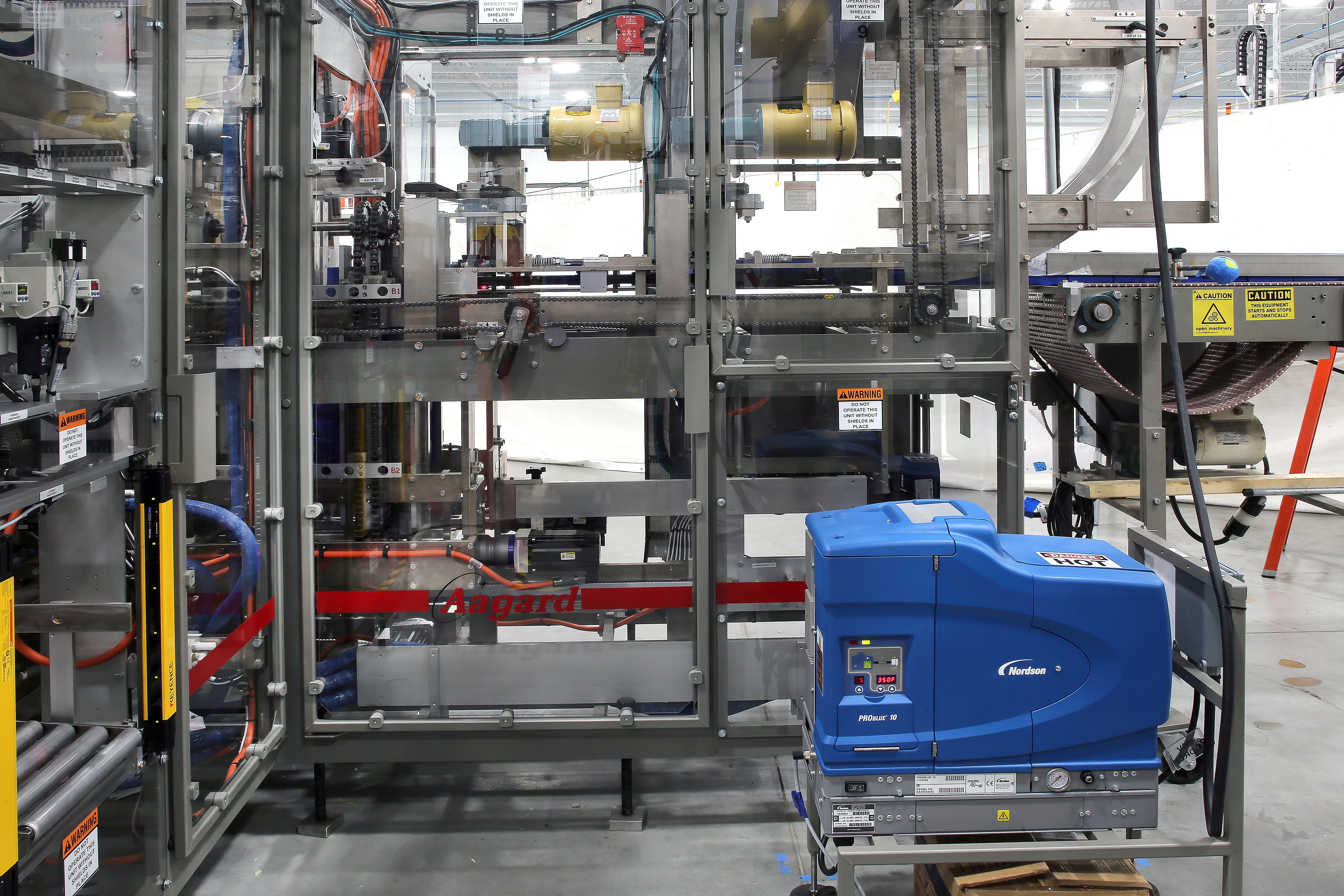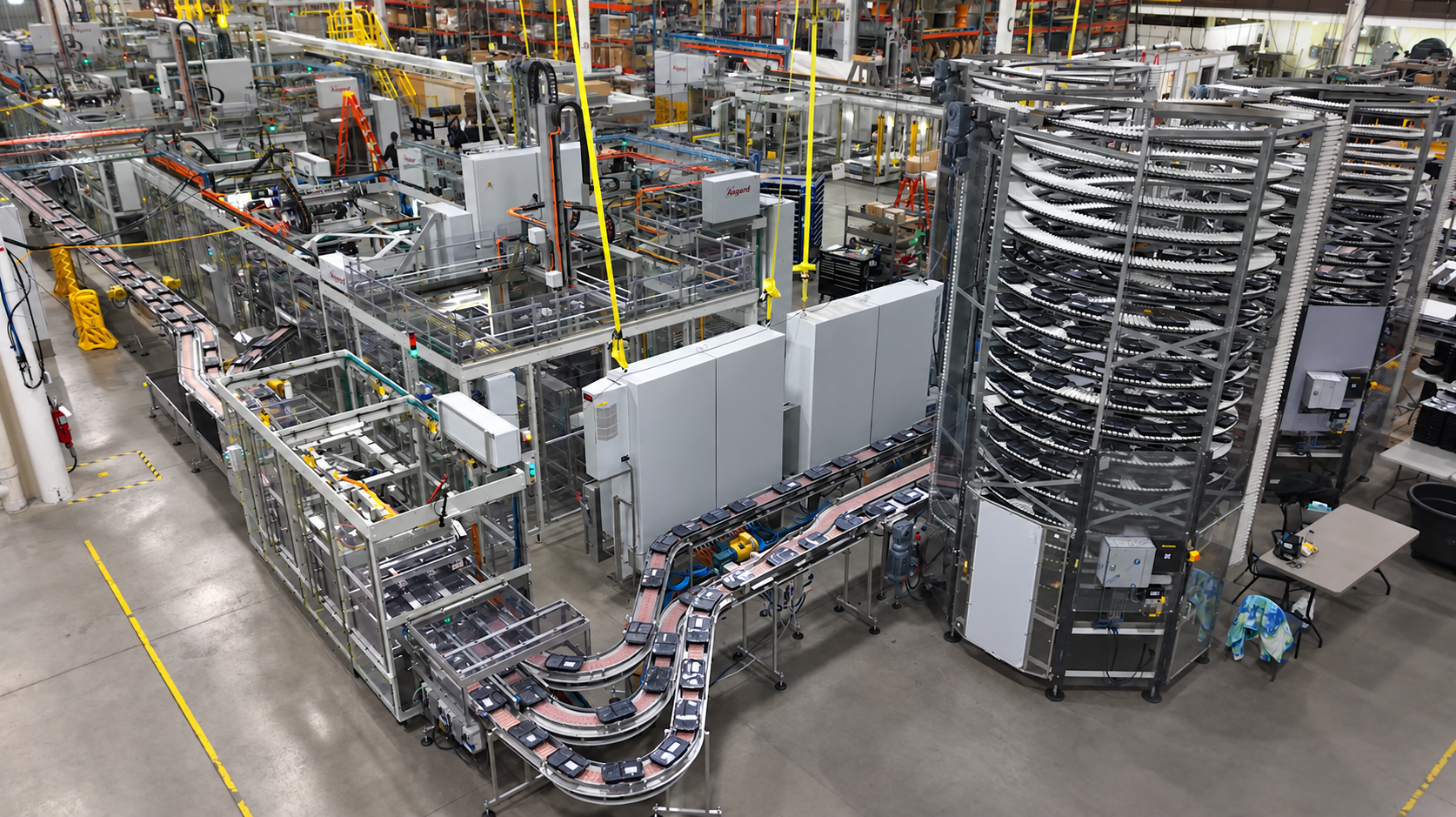
When automated packaging equipment faults, production stops. For food, beverage, and consumer goods manufacturers, every minute of unplanned downtime can affect productivity, efficiency, and operating costs.
The challenge isn't just fixing the problem. It's getting operators to the right solution quickly, even when experienced technicians aren't available.
Interactive training tools help bridge this gap by putting troubleshooting guidance directly where operators need it. Through HMI-embedded content, interactive 3D documentation, simulations, and visual diagnostics, manufacturers can give their teams the resources to diagnose issues and resolve them more efficiently.
Aagard integrates training and troubleshooting capabilities directly into its packaging automation systems, helping plant teams become more independent while reducing reliance on manuals, tribal knowledge, and outside support.
This guide explores how interactive training tools work, their benefits for packaging operations, and what manufacturers should consider when evaluating training-enabled equipment.
Why Interactive Training Tools Matter for Packaging Operations
Traditional operator training often relies on classroom instruction, printed manuals, and shadowing experienced employees. While these methods remain valuable, they don't always provide the immediate guidance operators need when equipment faults occur.
When experienced employees leave, valuable troubleshooting knowledge can leave with them.
According to PMMI's 2025 report on operator training, developing the troubleshooting skills of packaging line operators remains an important challenge for manufacturers.
Interactive training tools help address this by turning training into an ongoing resource rather than a one-time event.
Instead of relying solely on what they remember from previous training, operators can access relevant procedures, revisit instructions, and develop their troubleshooting skills directly at the machine.
Key benefits include:
- Reduced reliance on tribal knowledge: Important troubleshooting information remains accessible regardless of employee turnover.
- Faster troubleshooting: Operators can identify problems and access recommended procedures without searching through manuals.
- Improved onboarding: New employees can learn equipment functions and procedures at their own pace.
- Reduced downtime: Faster fault identification and resolution can help minimize production interruptions.
- Greater operator confidence: Employees have the resources to respond to issues more independently.
These benefits become especially valuable as packaging systems become more integrated and manufacturers manage changing workforce experience levels.
Types of Interactive Training Tools for Packaging Equipment
Different technologies support packaging troubleshooting in different ways. Some provide immediate guidance during production, while others help operators build skills before encountering problems on the line.
HMI-Embedded Training
Human-machine interfaces (HMIs) provide operators with a central location to monitor and control packaging equipment.
When training resources are embedded directly into the HMI, operators can access instructional videos, troubleshooting procedures, and equipment information without leaving the machine.
For example, when an operator encounters a recurring conveyor jam, they can access a short video demonstrating the proper troubleshooting procedure.
This immediate access helps reduce the time spent searching for information and allows operators to focus on resolving the issue.

Interactive 3D Documentation
Interactive 3D documentation gives operators and maintenance teams a detailed visual representation of packaging equipment.
Rather than relying on traditional two-dimensional diagrams, users can rotate, zoom, and isolate components to better understand how machine assemblies fit together.
These models can help teams:
- Locate specific components and assemblies
- Identify part numbers and specifications
- Understand mechanical relationships
- Support maintenance and replacement-part identification
- Visualize equipment before performing service
For complex integrated packaging systems, this level of visibility can simplify troubleshooting and make technical documentation easier to navigate.
Simulation-Based Training
Simulation-based training allows operators to practice responding to equipment faults in a controlled virtual environment.
Instead of learning only when a problem occurs during production, employees can work through realistic troubleshooting scenarios without risking equipment damage or downtime.
Simulations are particularly valuable for uncommon faults that operators may rarely encounter.
For example, an operator could practice responding to a servo drive error or safety interlock fault before experiencing that situation on the production floor.
Repeated practice helps employees develop familiarity with troubleshooting procedures and respond more confidently when real issues arise.
Augmented Reality (AR)
Augmented reality overlays digital information onto physical equipment, providing operators with visual guidance while they work.
AR applications can display instructions, highlight components, and demonstrate maintenance procedures directly over the machine.
This technology can also support remote troubleshooting.
A technician at another location can view what an operator sees and provide guidance without traveling to the facility.
For manufacturers with limited on-site technical resources, this can help reduce response times and improve access to specialized expertise.
Diagnostic Lighting and Visual Cues
Diagnostic lighting provides immediate visual feedback when equipment faults occur.
Instead of searching through multiple sections of an integrated packaging system, operators can follow lighting cues to identify the area requiring attention.
This is especially helpful in compact packaging systems where multiple processes and components operate close together.
By directing operators toward the problem area, diagnostic lighting can reduce guesswork and help accelerate troubleshooting.

How HMI-Embedded Training Speeds Up Troubleshooting
One of the most practical applications of interactive training is integrating guidance directly into the machine's control interface.
When operators have access to relevant information at the point of need, they can spend less time searching for answers and more time resolving problems.
Built-In Training Videos
Short, task-specific videos can demonstrate maintenance, troubleshooting, and operational procedures.
Unlike lengthy training sessions that employees may struggle to recall months later, these videos remain available whenever a refresher is needed.
For example, an operator experiencing a machine jam can access the appropriate procedure, review the steps, and apply the information to the situation.
This approach also helps standardize training by giving employees access to consistent instructions.
Fault Diagnostics and History
When equipment generates a fault, HMI-based diagnostic information can help operators understand what happened and identify possible causes.
Depending on the system, diagnostic resources may include fault descriptions, recommended troubleshooting steps, and historical fault information.
Fault history can also help maintenance teams identify recurring issues and investigate underlying causes.
Rather than repeatedly addressing the same symptoms, teams can use this information to support longer-term equipment improvements.
Changeover and Setup Guidance
Product changeovers can introduce errors and delays, particularly when operators are unfamiliar with setup procedures.
HMI-embedded instructions can walk employees through changeover steps, helping maintain consistency between operators and shifts.
Aagard's Rapid Launch™ technology complements this approach through automatic setup points and verification capabilities designed to support efficient, repeatable changeovers.
Together, equipment guidance and automated setup features can help reduce changeover complexity.

How Interactive 3D Documentation Improves Packaging Maintenance
Three-dimensional documentation goes beyond showing operators where a component is located.
It helps teams understand how different parts of a machine interact, making it easier to identify components, investigate issues, and prepare for maintenance.
Simplifying Component Identification
When a component needs attention or replacement, interactive 3D documentation allows users to navigate directly to the relevant assembly.
Operators and maintenance personnel can identify part numbers, review specifications, and better understand the component's location within the machine.
This can streamline replacement-parts identification and ordering while reducing the likelihood of selecting an incorrect component.
Understanding Mechanical Relationships
Packaging machinery relies on precise timing, alignment, and movement between components.
Interactive 3D models help teams visualize these relationships and understand how one assembly interacts with another.
This additional context can be valuable when investigating recurring issues or determining how an adjustment may affect surrounding components.
Supporting Maintenance Planning
Three-dimensional documentation also provides a useful reference before maintenance work begins.
Teams can review component locations and assemblies ahead of time, helping them prepare for service and communicate more effectively about equipment needs.
How Simulation-Based Learning Prepares Operators for Real-World Faults
While HMI-embedded guidance supports troubleshooting during production, simulation-based learning focuses on preparing operators before problems occur.
By practicing in a virtual environment, employees can develop skills without interrupting production.
Practicing Uncommon Fault Scenarios
Some faults occur infrequently but require operators to respond correctly and efficiently.
Simulations allow employees to practice these situations repeatedly, helping them recognize fault conditions and understand appropriate responses.
Reinforcing Troubleshooting Procedures
Repeated practice can improve familiarity with troubleshooting steps.
As operators become more comfortable with procedures, they may be able to respond with less hesitation when similar problems occur during production.
Supporting New Operator Training
Simulation-based learning can also supplement onboarding.
New employees can develop an understanding of equipment functions and troubleshooting scenarios before working independently on the production floor.
This helps reinforce hands-on instruction and can reduce the amount of repetitive training required from experienced team members.
How Aagard's Rapid Learning™ Supports Packaging Troubleshooting
Aagard's Rapid Learning™ brings several training and troubleshooting resources together within its packaging automation systems.
Rather than requiring operators to search through separate platforms or documentation, Rapid Learning™ makes equipment-specific information accessible through the machine's HMI.
The system combines interactive 3D documentation, built-in training videos, diagnostic lighting, and forensic cameras to help operators better understand their equipment and respond to problems.
Interactive 3D Documentation
Rapid Learning™ provides detailed 3D equipment documentation that allows users to explore machine components and assemblies.
Operators and maintenance teams can identify parts, review specifications, and visualize how different sections of the equipment fit together.
This helps simplify component identification and provides additional context for troubleshooting and maintenance.
Built-In Training Videos
Short, focused training videos are accessible directly through the Rockwell HMI.
These videos cover operational procedures, troubleshooting, and maintenance tasks, giving operators access to guidance whenever they need it.
By making training available directly at the machine, employees can revisit procedures without scheduling separate training sessions.
Diagnostic Lighting
Rapid Learning™ uses visual lighting cues to help operators locate the source of equipment faults.
Rather than spending additional time searching through the system, operators can use these cues to identify the area that needs attention.
This is particularly valuable in integrated packaging systems, where multiple packaging operations take place within a connected system.
Forensic Cameras
Some equipment faults happen too quickly or inconsistently for operators to identify their cause in real time.
Rapid Learning™ forensic cameras provide recorded visual context that can help teams investigate what occurred before an issue.
By reviewing relevant footage, operators and maintenance personnel can better understand intermittent problems and identify potential root causes.
This additional visibility supports more informed troubleshooting decisions.

Together, these Rapid Learning™ capabilities help operators access the right information at the right time, supporting faster troubleshooting and greater independence on the production floor.
What to Look for in Training-Enabled Packaging Equipment
Not all interactive training tools provide the same level of accessibility or value.
When evaluating packaging automation, manufacturers should consider how training resources are integrated, how relevant the content is, and how those resources will be supported over time.
Integration With Existing Controls
Training is most useful when operators can access it through the machine's existing control system.
Separate training platforms may require additional devices, logins, or steps that make information harder to access during a fault.
Aagard uses Rockwell FactoryTalk Optix as part of its HMI technology, providing a platform for integrated equipment information and training resources.
Equipment-Specific Content
Generic troubleshooting information may not address the unique configurations and operating conditions of a packaging line.
Look for training resources developed specifically for the equipment, including its components, maintenance requirements, and common fault scenarios.
The more relevant the information, the more useful it can be when operators need immediate guidance.
Accessibility for Different Experience Levels
Training resources should be useful for both new employees and experienced maintenance personnel.
Visual instructions, intuitive navigation, and accessible documentation can make complex information easier to understand.
Manufacturers with multilingual workforces should also consider whether training resources support different language needs.
Long-Term Support and Updates
Packaging equipment and production requirements can change over time.
Training resources should remain useful as systems are modified, procedures are updated, and operators develop new skills.
Ongoing support from the equipment manufacturer can help teams maintain access to relevant documentation and technical assistance.
Aagard's Assurance™ program complements its training capabilities through ongoing customer support, equipment training, technical resources, and proactive communication.
This helps manufacturers continue developing their teams and supporting equipment performance beyond installation.
How to Measure the Effectiveness of Interactive Training Tools
Interactive training tools are most valuable when they contribute to measurable operational improvements.
Manufacturers can evaluate their effectiveness by tracking several key performance indicators.
Mean Time to Repair (MTTR)
Mean Time to Repair measures the average time required to restore equipment after a failure.
By making troubleshooting information more accessible, interactive tools may help operators identify problems and resolve them faster.
Comparing MTTR before and after implementing training resources can help determine whether the tools are improving maintenance efficiency.
New Operator Training Time
Manufacturers can track how long new employees take to become proficient with packaging equipment.
Interactive videos, visual documentation, and simulations can help reinforce learning and provide additional resources outside formal training sessions.
A reduction in time to proficiency may indicate that training resources are supporting faster onboarding.
Repeat Fault Frequency
Recurring faults can indicate underlying equipment issues or inconsistencies in troubleshooting procedures.
Tracking repeat faults can help manufacturers determine whether employees are identifying root causes and applying appropriate corrective actions.
Operator Confidence and Independence
Not every training benefit can be measured through machine data.
Employee feedback can provide insight into whether operators feel more prepared to troubleshoot equipment and less dependent on outside assistance.
Regular feedback can also help identify training gaps and opportunities to improve available resources.
How Interactive Training Supports Workforce Development
Interactive training tools do more than improve troubleshooting. They also help manufacturers build a more capable and adaptable workforce.
Reducing Reliance on Tribal Knowledge
When critical equipment knowledge exists only with a few experienced employees, manufacturers risk losing that expertise through turnover or retirement.
Embedded training resources make important procedures and equipment information accessible to more team members.
This helps create greater consistency across shifts and experience levels.
Building Operator Confidence
Operators who have access to clear instructions and troubleshooting resources may feel more comfortable responding to equipment issues.
Instead of immediately depending on a senior technician, employees can review available guidance and determine the appropriate next steps within their training and authorization.
This can help reduce frustration and encourage greater independence.
Supporting Continued Skill Development
Interactive resources allow employees to revisit procedures and expand their understanding of equipment over time.
As operators gain experience, they can build additional troubleshooting and maintenance knowledge that supports professional growth.
These opportunities may also contribute to employee engagement and retention by helping team members feel better equipped to succeed in their roles.
Building a Training-Ready Packaging Operation
Interactive training tools are becoming an important consideration for manufacturers looking to improve equipment reliability and develop stronger production teams.
By combining HMI-embedded guidance, interactive 3D documentation, simulation-based learning, and visual diagnostics, manufacturers can give operators better access to the information they need.
The key is choosing packaging equipment where training and troubleshooting resources are integrated into the system from the beginning rather than treated as an afterthought.
Aagard's Rapid Learning™ demonstrates this approach by bringing interactive documentation, training videos, diagnostic lighting, and forensic cameras together within its packaging automation systems.
For packaging engineers and operations leaders evaluating automation investments, training-enabled equipment offers an opportunity to support faster troubleshooting, reduce reliance on tribal knowledge, and develop a more confident workforce.
When operators have the tools and information they need, they can spend less time searching for answers and more time keeping production moving.
Frequently Asked Questions About Interactive Training Tools
-
What are interactive training tools for packaging equipment?
Interactive training tools include HMI-embedded videos, 3D documentation, simulations, and augmented reality applications that help operators learn equipment procedures and troubleshoot faults. These resources make training information accessible when and where it is needed.
-
How do HMI-embedded training features improve troubleshooting?
HMI-embedded training provides access to instructional videos, equipment documentation, and troubleshooting guidance directly through the machine's touchscreen. This can reduce the time operators spend searching for information and help them respond to faults more efficiently.
-
What is Aagard's Rapid Learning™?
Aagard's Rapid Learning™ is a suite of embedded training and troubleshooting tools designed for Aagard packaging systems. It includes interactive 3D documentation, training videos, diagnostic lighting, and forensic cameras that help operators better understand and troubleshoot their equipment.
-
How does interactive 3D documentation support packaging maintenance?
Interactive 3D documentation allows users to explore equipment models, identify components, view part numbers, and understand how assemblies fit together. This can simplify troubleshooting, maintenance planning, and replacement-part identification.
-
Why is simulation-based training valuable for packaging operators?
Simulation-based training allows operators to practice troubleshooting in a controlled virtual environment without risking production interruptions or equipment damage. It is especially useful for uncommon fault scenarios and new employee training.
-
How does augmented reality support packaging maintenance?
Augmented reality can display step-by-step visual instructions over physical equipment. It can also support remote troubleshooting by allowing off-site technicians to view equipment conditions and guide operators through appropriate procedures.
-
How can manufacturers measure the effectiveness of interactive training tools?
Manufacturers can track metrics such as Mean Time to Repair (MTTR), new operator training time, repeat fault frequency, and operator confidence. These measurements help evaluate whether interactive training resources are improving troubleshooting efficiency and workforce capabilities.